Build a Custom AI Content Generator
Build a custom AI content generator with Node.js, Redis, and BullMQ queues. Cut content production costs by 90% with a BYOK multi-agent pipeline.
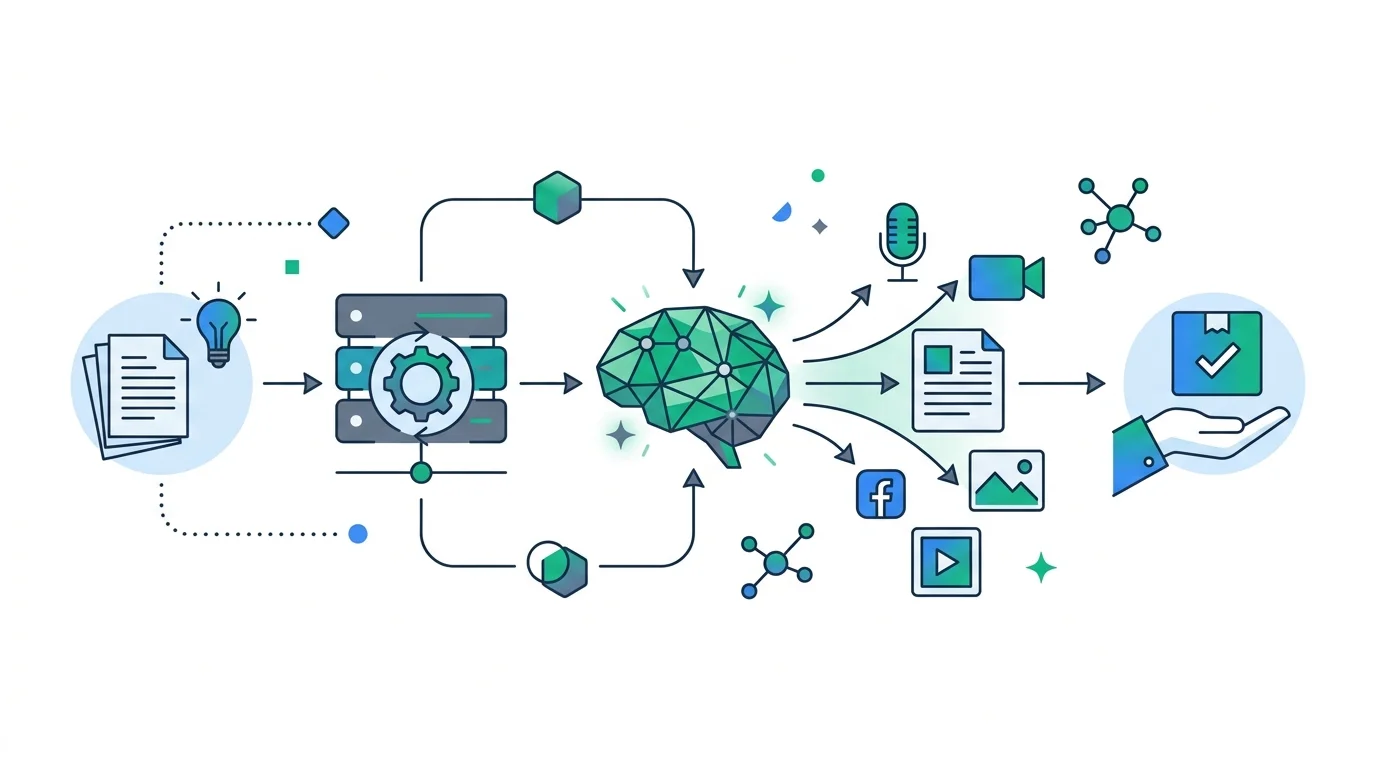
Renting a hosted copywriting platform is one of the quickest ways to bleed software margins.
SaaS writing platforms charge credit markups of up to 500% over raw model API costs. If you publish more than 10 articles a week, you are overpaying by hundreds of dollars every month for basic wrapper software.
Building a custom AI content generator restores your data ownership and profitability. By combining a Node.js backend with Redis queues, BullMQ job orchestration, and direct model API keys, you eliminate credit markups while guaranteeing 100% uptime for high-volume content generation.
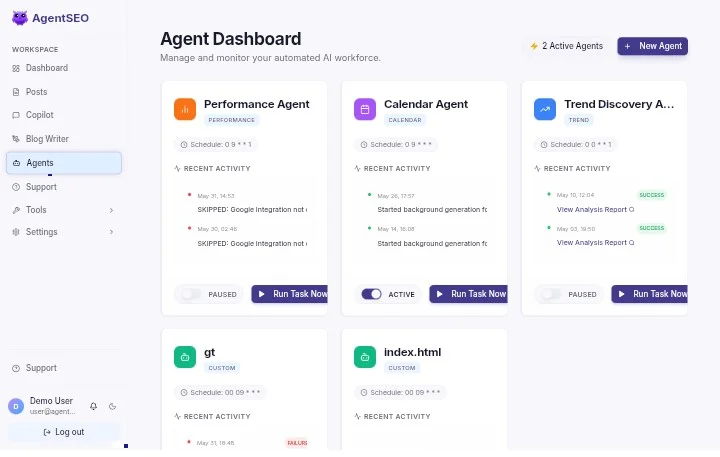
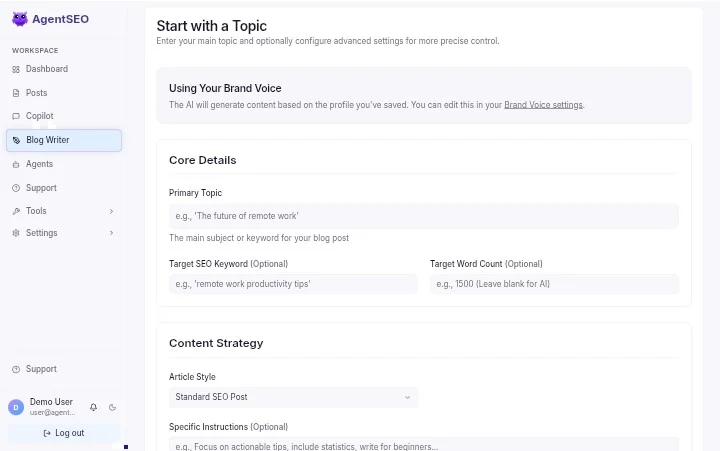
At Keyng Dev, we engineered this exact architecture for AgentSEO, our white-label AI content marketing platform. Whether you build this system from scratch or license our turnkey platform, this guide breaks down the core architecture required to generate long-form, publish-ready content without server timeouts or inflated API fees.
Key Takeaways
- BYOK cost reduction: Using a Bring Your Own Keys model via OpenRouter or direct model keys cuts article generation costs to under $0.01 per post.
- Asynchronous job queuing: Decoupling LLM execution with BullMQ and Redis prevents gateway timeouts during multi-stage drafting.
- Section-by-section generation: Writing posts in isolated heading batches maintains focus and prevents context window degradation.
- Automated quality gating: Scoring readability and scrubbing AI watermarks ensures natural human-level readability before publishing.
An agency client came to us in mid-2026 spending $800 a month across 15 client blogs using credit-based writing platforms. After deploying our self-hosted ai content writer architecture running on raw Gemini 1.5 Flash keys, their monthly API expenditure dropped to $12, saving over $9,400 annually without sacrificing article velocity.
Want to deploy a turnkey AI writing platform without building the codebase yourself? Explore the AgentSEO live demo to test our production-ready white-label platform.
Map Your AI Content Generator Outline
Great content generation starts with structural planning, not raw drafting.
When an AI model attempts to write an article without a detailed structural blueprint, the prose drifts, repeats points, and fails to address specific search intent.
Understand Search Intent Programmatically
Search intent dictates how your generator structures its output. Commercial queries require comparative feature tables and pricing breakdowns. Informational queries demand clear definitions and step-by-step instructions.
To model search intent automatically, your pipeline fetches search engine results before invoking the language model:
- SERP Data Ingestion: The system queries search API gateways to pull the top 10 organic search results for the target keyword.
- Heading Extraction: The pipeline parses H2 and H3 elements, featured snippet boxes, and "People Also Ask" questions.
- Intent Classification: The system determines whether top-ranking pages are listicles, how-to guides, or technical teardowns.
- Blueprint Generation: The outline engine constructs a schema-conforming structural blueprint based on proven search patterns.
When users search for ai content generator free options, the underlying intent is exploratory. They want to test workflows, not read lengthy sales pitches. Building intent-aware outlines guarantees your content matches what search engines reward.
Design Semantic Topic Content Clusters
Isolated blog posts struggle to rank in modern search engines. To build domain authority, your generator must publish interconnected topic clusters around core pillar pages.
For example, a pillar page focused on an ai content generator should link to specialized spoke articles covering complementary intent:
| Spoke Topic | Target Keyword | Primary Focus | Recommended Internal Anchor |
|---|---|---|---|
| Auto Blogging Pipelines | automate blogging |
Automated publishing workflows | automate blogging |
| White-Label Writer Setup | white label ai writer |
Self-hosted writer deployment | white label AI writer |
| Agency Monetization | white label ai software |
Reseller licensing models | white label AI agency |
| SEO Assistant Workflows | ai copilot for seo |
Automated GSC optimization | AI copilot for SEO |
| Launching an AI SaaS | start an ai saas |
Micro-SaaS monetization | start an AI SaaS |
Storing cluster relationships in your database allows background workers to inject contextual internal links automatically during section drafting, creating clean crawl paths for search engine indexing.
Select Stable AI Content Models
Model selection directly impacts both prose quality and operational costs.
Instead of managing separate SDK credentials for OpenAI, Anthropic, and Google, we route requests through unified API gateways to maintain flexibility.
Compare API Providers via OpenRouter
OpenRouter serves as a single gateway for accessing multiple model backends. This abstraction allows your application to route lightweight tasks to fast, low-cost models while reserving high-tier reasoning models for final editing.
| Model Endpoint | Input Cost (1M Tokens) | Output Cost (1M Tokens) | Average Latency | Best Operational Role |
|---|---|---|---|---|
google/gemini-1.5-flash |
$0.075 | $0.30 | 1.2s | Outline creation & section drafting |
anthropic/claude-3.5-sonnet |
$3.00 | $15.00 | 2.5s | Style editing & brand voice refinement |
openai/gpt-4o-mini |
$0.15 | $0.60 | 1.4s | Meta elements & structural validation |
google/gemini-1.5-pro |
$1.25 | $5.00 | 2.2s | Deep RAG & complex technical synthesis |
Switching models requires updating a single configuration string rather than refactoring backend API clients. When a newer, more cost-effective model launches, your system adapts immediately.
Evaluate Raw Token Generation Costs
Hosted writing platforms mask true computing costs behind credit systems or monthly subscription tiers.
Consider the actual API economics:
At $0.075 per million input tokens and $0.30 per million output tokens, generating a comprehensive 3,000-word article using Gemini 1.5 Flash costs less than $0.01 in raw API fees.
Compare this to hosted SaaS tools like Byword.ai that charge up to $5.00 per article on recurring credit plans, or desktop generators like ZimmWriter that restrict execution to local Windows machines.
Hosted SaaS Writer ($5.00 / post) ██████████████████████████████ $500 per 100 posts
Self-Hosted BYOK ($0.01 / post) █ $1.00 per 100 posts
By implementing a Bring Your Own Keys (BYOK) architecture, you pay raw utility costs directly to model providers, unlocking profit margins for your own platform or agency workflows.
Configure Language Model Prompts
Output quality depends on strict prompt engineering and API enforcement.
Your system instructions must explicitly prohibit generic AI phrasing and force compliance with your editorial standards.
Define Custom System Instruction Rules
System instructions should lock the language model into an authoritative practitioner persona.
We instruct the model to follow clear structural boundaries:
- Write from the first-person plural agency perspective ("we", "our team").
- Use natural contractions ("don't", "we've", "it's") to prevent stiff, robotic prose.
- Limit paragraph length to a maximum of three sentences.
- Banish generic AI filler words ("furthermore", "moreover", "delve", "testament").
- Ground all claims in real architectural specs and measurable outcomes.
Enforcing these constraints at the API level minimizes manual post-processing and ensures generated drafts match your style guide immediately.
Validate Structured JSON Output States
When generating outlines, keyword maps, or metadata, request structured JSON payloads rather than unstructured text.
Structured JSON output modes ensure the language model returns a validated schema. Your application parses headings, keyword placements, and metadata without encountering unexpected syntax errors during execution.
Design Custom Quality Evaluation Pipelines
Language models generate text; they do not self-edit.
To maintain high editorial standards, your platform must implement automated quality control gates before saving or publishing content.
Track Readability and Sentence Structure
AI-generated text often exhibits flat sentence rhythm, producing paragraphs of identical length and complex phrasing.
We track prose complexity using the Flesch Reading Ease formula, targeting a score between 60 and 70 (equivalent to an 8th-to-10th grade reading level):
- Calculate Word Metrics: Count total words, sentence boundaries, and syllable counts across the draft.
- Evaluate Sentence Length: Flag any paragraph exceeding four sentences or any individual sentence over 25 words.
- Automate Paragraph Splitting: Direct the background worker to split long text blocks, maintaining high visual rhythm and scannability.
Scrub Obvious Conversational AI Patterns
AI models leave clear lexical fingerprints. They overuse transitional adverbs like "moreover" and "furthermore," and rely on filler openers like "In today's fast-paced digital world."
Our automated content scrubbing pipeline scans generated drafts for invisible Unicode watermarks, normalizes whitespace, and replaces em-dashes with contextually appropriate punctuation (commas, semicolons, periods). This cleanup ensures the final markdown reads naturally.
Integrate Local SQL RAG Grounding
Language models frequently hallucinate product specifications when writing about technical software features.
Instead of deploying complex vector databases, we ground generated content using structured SQL reference tables. We store product capabilities, service plan pricing, and technical specs directly in database records:
| Feature Field | Stored Value | Application Use |
|---|---|---|
| Product Name | AgentSEO | Brand representation |
| Setup Fee | $150 (VPS Installation Plan) | Accurate pricing claims |
| Multi-Agent System | Calendar, GSC, Reddit Agents | Technical feature accuracy |
| License Models | $69 Regular / $350 Extended | Turnkey SaaS pricing |
When drafting a section about a specific product, the worker retrieves the exact database row and appends the specs to the system prompt. This guarantees 100% factual accuracy without context clutter.
Prevent Content Generation Timeout Risks
Generating a 3,000-word article inside a single synchronous HTTP request creates inevitable system failures.
Gateway timeouts trigger at 30 seconds, while long-form generation can take over a minute. Decoupling request handling from generation logic is essential.
Implement Queue Systems with BullMQ
We process content generation requests as asynchronous background tasks using BullMQ backed by Redis.
When a user requests an article:
1. The API server validates the request and immediately returns a 202 Accepted HTTP response with a unique job ID.
2. The job metadata is pushed to the Redis processing queue.
3. A background Node.js worker process pulls the job, handles the multi-stage LLM calls, and updates job status in real time.
[User Request] ──► [API Server (202 Accepted)] ──► [Redis Queue] ──► [BullMQ Worker] ──► [PostgreSQL Store]
If an external API experiences a temporary hiccup, BullMQ retries the task automatically using exponential backoff without disrupting the user interface.
Process Lengthy Articles Section by Section
Our background workers draft articles incrementally rather than requesting full posts in a single prompt:
- Outline Generation: The worker generates the outline and writes the heading structure to PostgreSQL.
- Section Execution: The worker iterates through each H2 and H3 heading, generating text blocks individually.
- Context Preservation: The worker passes preceding section summaries as context to maintain narrative continuity.
A technical marketing team came to us after their synchronous generator failed on 40% of long-form articles due to gateway timeouts. Rebuilding their workflow around asynchronous section-by-section Redis workers achieved a 100% completion rate across bulk runs, allowing them to queue an entire month of content seamlessly.
Store Content Caches inside Redis
To protect against worker restarts or database lock contention, intermediate section drafts are cached in Redis under job-specific keys.
If a server restarts mid-generation, the worker detects the cached sections and resumes from the exact point of interruption, preventing duplicate API charges and wasted compute time.
Execute Background Tasks via Cron
A production content engine operates autonomously without requiring manual user initiation.
Scheduled cron background tasks inspect your content calendar nightly, identify articles scheduled for upcoming publication, extract target keywords, and dispatch generation jobs automatically. This maintains consistent publishing velocity 24/7.
Integrate Secure User Billing Adapters
If you intend to commercialize your ai content generator as a SaaS platform, a secure payment gateway integration is required.
Connect Gateway Adapters
Your architecture should support global and regional payment providers.
We integrate Stripe for international credit card processing alongside regional gateways like Paystack or Flutterwave. Isolating payment verification from main content workers prevents database lock contention during high-volume checkout events.
Build Subscription Plans with Stripe
Stripe manages subscription tiers (e.g., Starter, Pro, Agency).
When a customer completes a checkout or renews a subscription, Stripe fires a cryptographically signed webhook event. The application verifies the signature header, updates user credit balances in PostgreSQL, and logs the transaction.
An agency owner deployed our turnkey Node.js SaaS template featuring integrated Stripe billing as a white label AI software offering. Within 48 hours of launching, he onboarded his first three paying agency clients at $149/month, completely covering his server infrastructure costs.
Launch your own turnkey AI content platform without credit markups. Learn more about the AgentSEO SaaS platform.
Handle Webhook Event Streams Safely
Payment verification requires handling event idempotency.
Because payment gateways may deliver webhook events more than once during network retry events, your server logs processed event IDs in PostgreSQL. Duplicate webhook deliveries are identified and discarded safely before credit balances can be modified twice.
Deploy Custom Software to Production
Production deployment requires server infrastructure designed for background worker processes.
Standard shared web hosting will terminate long-running background tasks. A Virtual Private Server (VPS) or containerized cloud host is required.
Configure Linux VPS Server Environments
We recommend deploying to an Ubuntu LTS server environment:
- Process Manager: PM2 keeps web server instances and background worker loops running independently.
- Cache Store: Local Redis handles queue management and intermediate draft caching.
- Process Isolation: The HTTP API server and BullMQ workers run as separate PM2 services, ensuring heavy API tasks never degrade frontend responsiveness.
Set Up Docker Container Services
For enterprise scalability, containerize services using Docker:
- Web Container: Handles HTTP routing, user authentication, and API endpoints.
- Worker Container: Executes BullMQ background jobs, SERP fetching, and LLM API calls.
- Redis Container: Provides in-memory message queue storage.
This containerized architecture scales horizontally. As content generation volume increases, you add additional worker containers without increasing load on your primary web application.
Our $150 VPS Installation Plan includes full server provisioning, Docker configuration, Redis tuning, and PM2 process setup.
Frequently Asked Questions
Can I run this system on shared web hosting?
No. Shared hosting environments terminate persistent background processes after 30 seconds. A VPS or containerized host (DigitalOcean, AWS, Linode) is required to run persistent Redis and BullMQ worker loops.
How do I configure model failover backups?
Your API routing layer can implement automatic fallback logic. If OpenRouter returns a 5xx error or hits rate limits, the gateway automatically reroutes the prompt to a secondary provider or direct Google Gemini API keys.
How do I prevent database lock conflicts?
Use dynamic batch writing. Instead of writing every generated paragraph directly to your primary database, cache intermediate section drafts in Redis and perform a single atomic SQL write once the full article is assembled.
Conclusion
Building your own AI content generator provides total ownership over your data, software economics, and operational margins.
It liberates your agency or product team from credit markups and platform-enforced generation caps. By pairing Node.js with Redis queues, BullMQ job orchestration, and structured SQL data models, you establish a resilient content engine built to scale.
If you are evaluating next steps:
1. Build from scratch: Implement the queue and model routing architecture outlined in this guide.
2. License a turnkey platform: Deploy AgentSEO on your own server with lifetime usage rights, or test the AgentSEO sandbox demo.
Explore our custom development services or choose the VPS Installation Plan at $150 to have our engineering team set up your infrastructure.